
How to Pixelate a Photo on iPhone Trace over faces and private details to hide them
You want to post a photo, but someone else’s face is in it. Or a screenshot shows a name or account you’d rather not share. That’s when you need to pixelate part of an image.
This page explains how to pixelate a photo on iPhone, the exact steps with Mosaic Blur, and a few tips for hiding things cleanly.

When to pixelate a photo
- Hiding other people’s faces in a photo before you post it
- Covering a name, account, or email address in a screenshot
- Hiding an address, a nameplate, or a license plate
- Covering a number or barcode in a photo of a document or ticket
Ways to hide something on iPhone
Scribble over it with Markup
In the Photos app, you can open Markup while editing and draw over the part you want to hide with a pen. It needs no extra app, but it leaves a solid scribble on the picture.
Use a mosaic app
If you’d rather pixelate the area, use an app made for it. Mosaic Blur is an app that covers only the parts you trace with a mosaic, and lets you zoom in up to 8× to trace even tiny text.
Step by step
Open Mosaic Blur and tap “Select Photo”
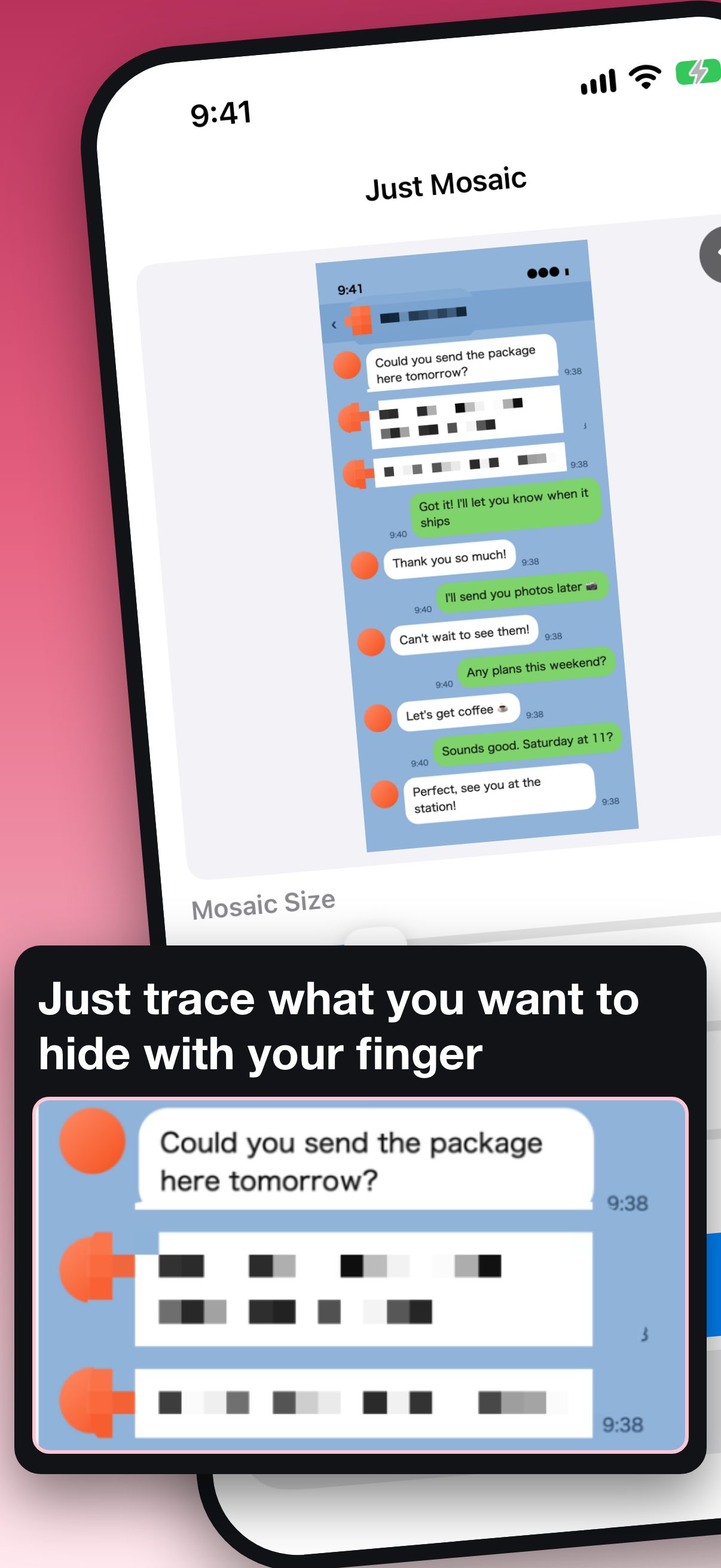
Trace over what you want to hide
Only the areas you trace are covered with a mosaic.
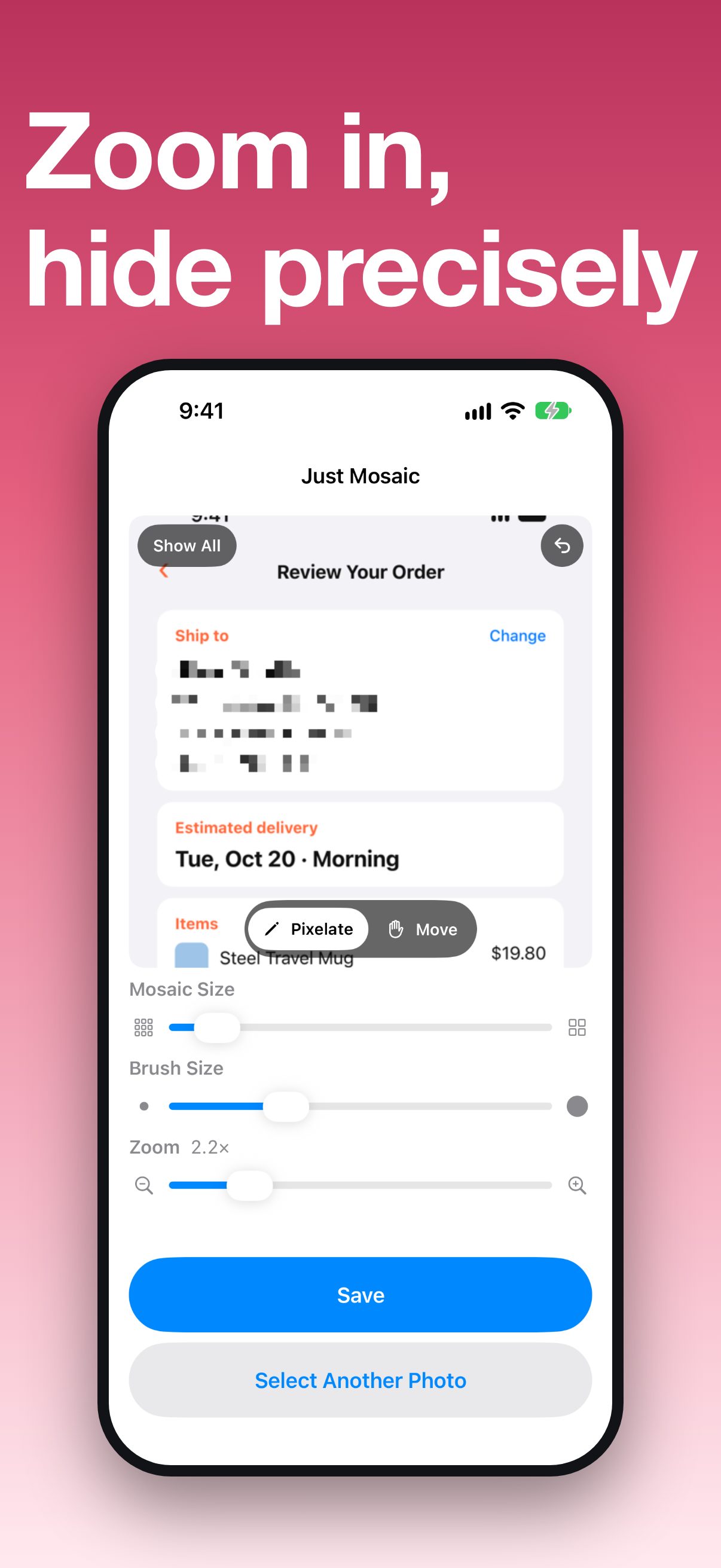
Adjust “Mosaic Size” and “Brush Size”
Both have sliders. A thick brush suits large areas, and a thin one suits small things like a line of text.
Zoom in on small details with the “Zoom” slider
Zooming in switches to “Move”. Move the photo into position, then tap “Pixelate” and trace.
Tap “Undo” if you make a mistake
Check the result and tap “Save”
Tips for a clean result
Zoom in for small text
Zoom in with the “Zoom” slider and make the “Brush Size” smaller to cover only what you need. Tap “Show All” to see the whole photo again.
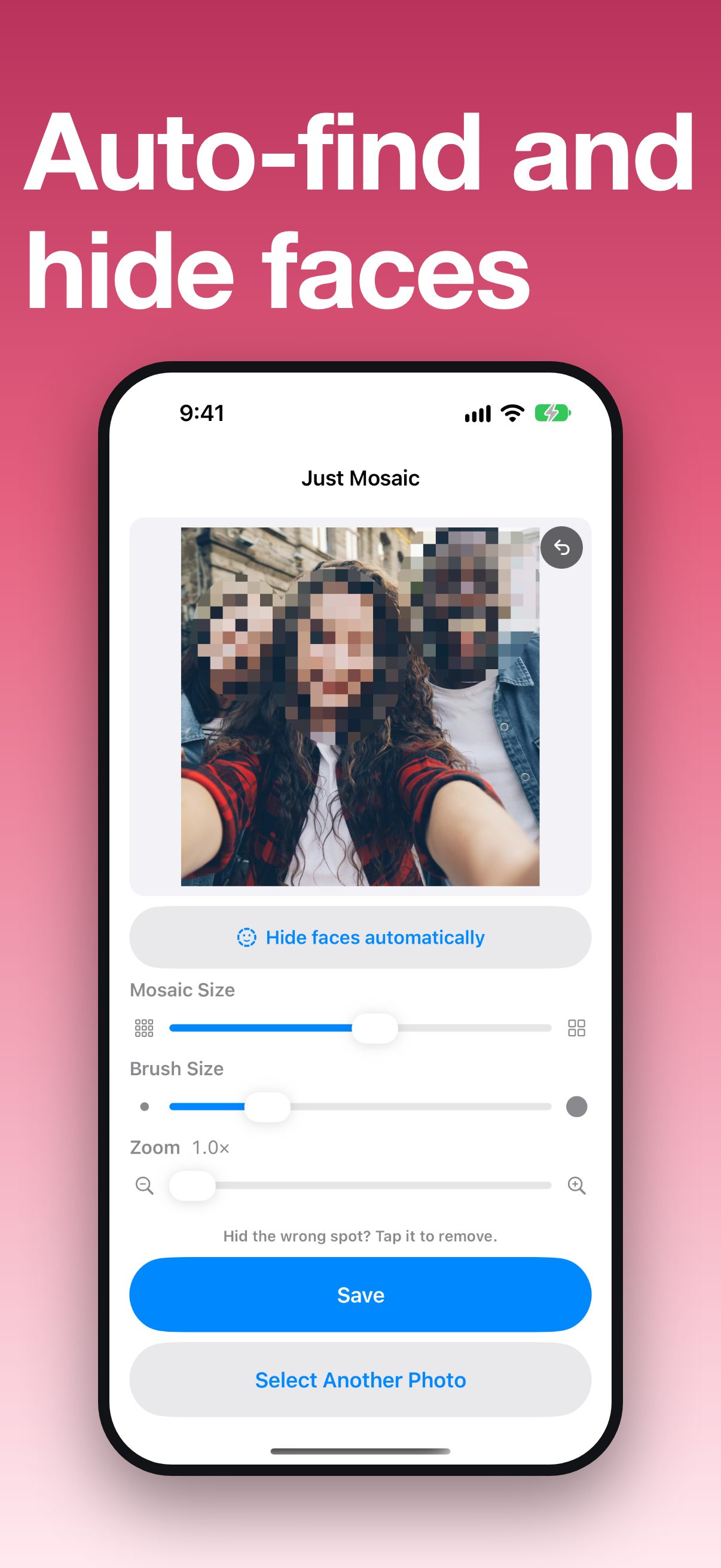
Use a thick brush for faces
A larger “Brush Size” covers a large area in fewer strokes.
Look over the whole image before posting
Check for anything you missed, such as something in the background or a name near the edge, before you save.
Questions
Does it work on screenshots?
Yes. Trace over the part of a screenshot you want to hide, the same way you would with a photo.
How much does it cost?
$3.00 as a one-time purchase. There are no ads, subscriptions, or in-app purchases.
Which devices are supported?
It works on iPhone and iPad and Mac, running iOS 17.6 or later, macOS 14.6 or later.
Guides for other edits

Mosaic Blur: Pixelate Photos
Just trace over what to hide. Zoom in and trace, too.
View on the App Store(external site)Prices shown are from the US App Store and may vary by country.