Date Stamp: Batch Photo Dates Add the date taken to photos in bulk
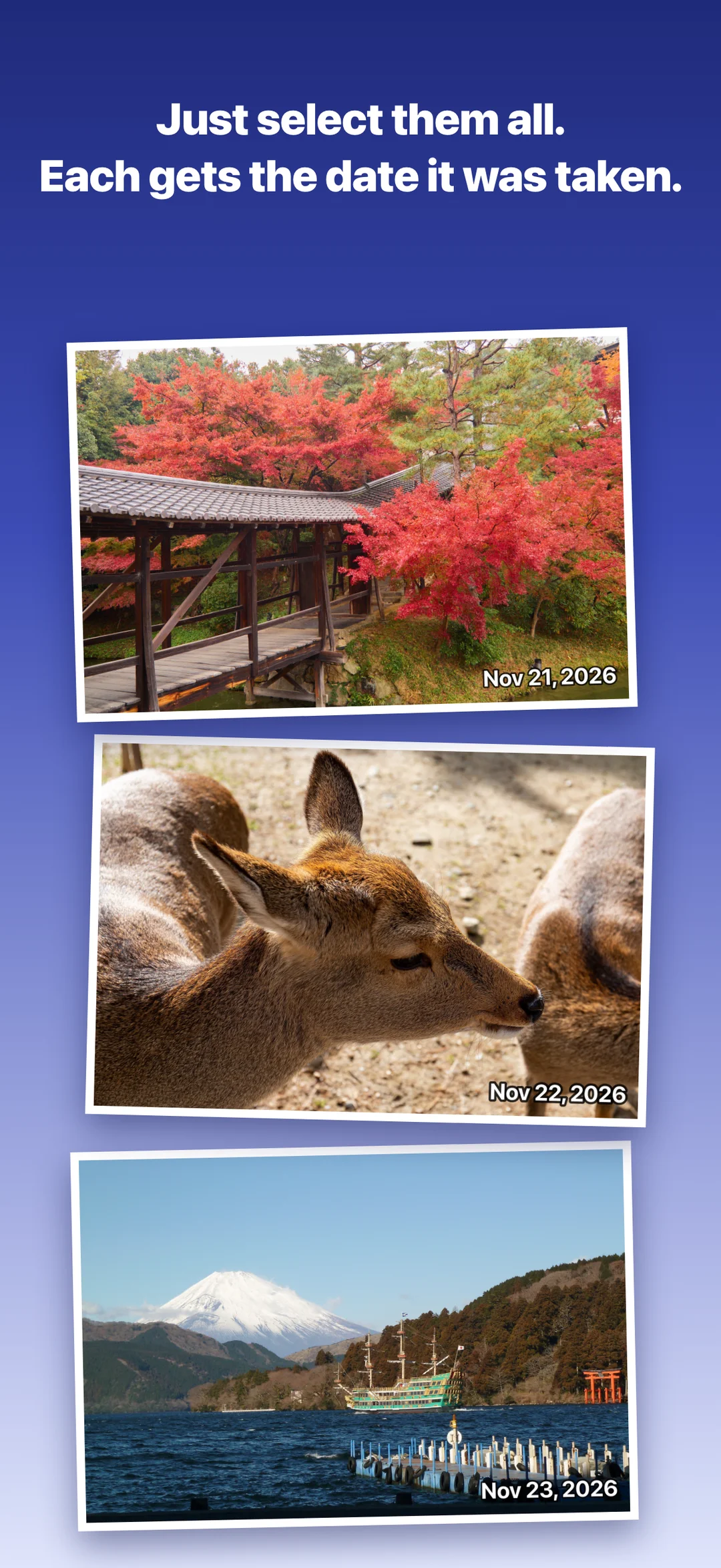
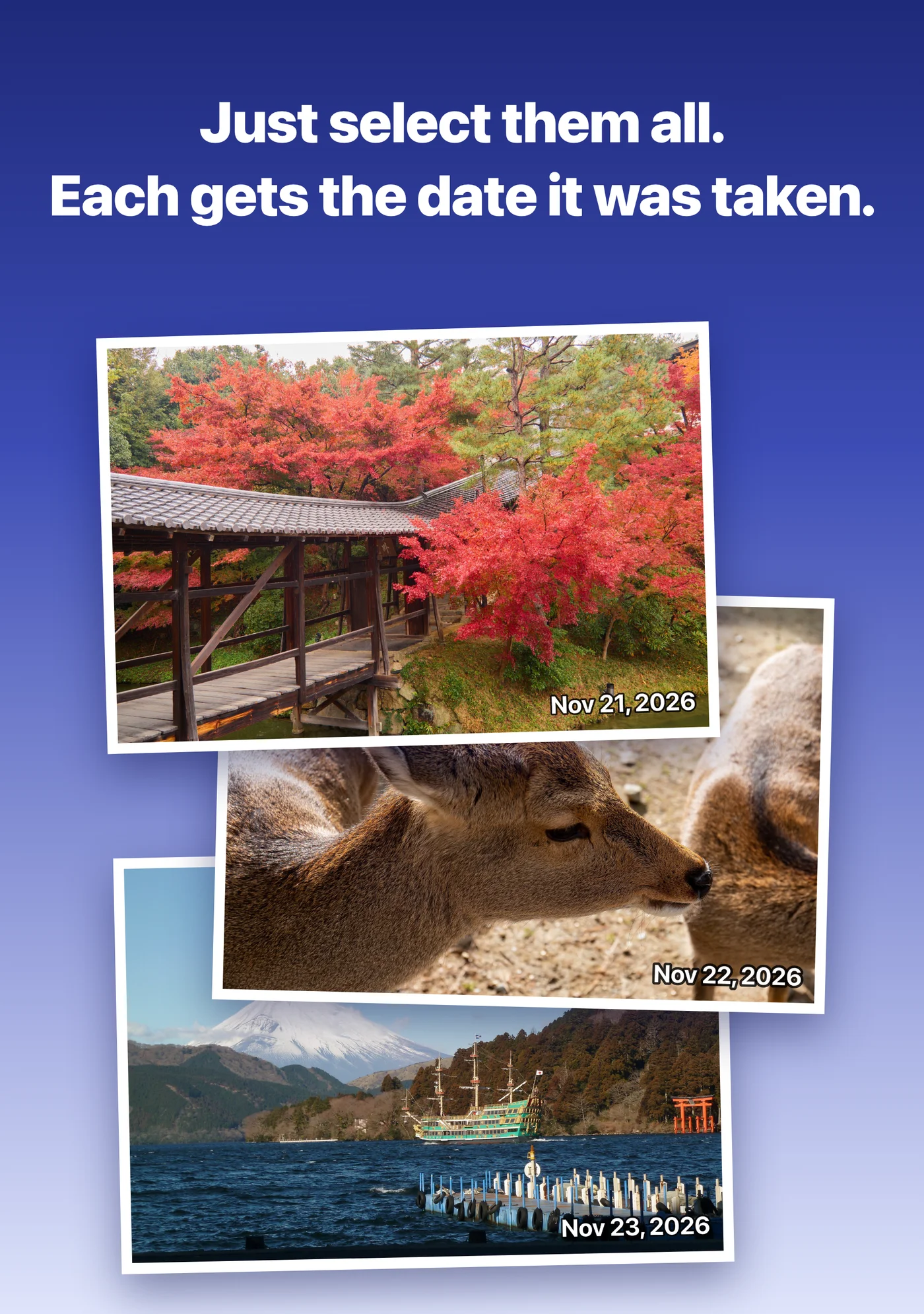
Pick the photos you've already taken, and every photo gets its own date taken stamped on it. Select the photos from a three-day trip and day one's photos get day one's date, day two's photos get day two's date. Send them to family or print them on paper, and anyone can see when each photo was taken.

No ads. No in-app purchases.
Optimized for iPhone Duo: easy to use open or closed, in portrait or landscape.
- Price
- $1.99 (one-time purchase)
- Devices
- iPhone
- Requires
- iOS 17.6 or later
- Category
- Photo & Video
- Privacy
- Data Not Collected
- Languages
- English, Dutch, French, German, Italian, Japanese, Korean, Polish, Portuguese, Spanish, Swedish, Traditional Chinese, Turkish
What Date Stamp can do
Each photo's own date taken
The date is each photo’s own date taken. Photos taken abroad or around midnight keep the date of the place where they were taken.
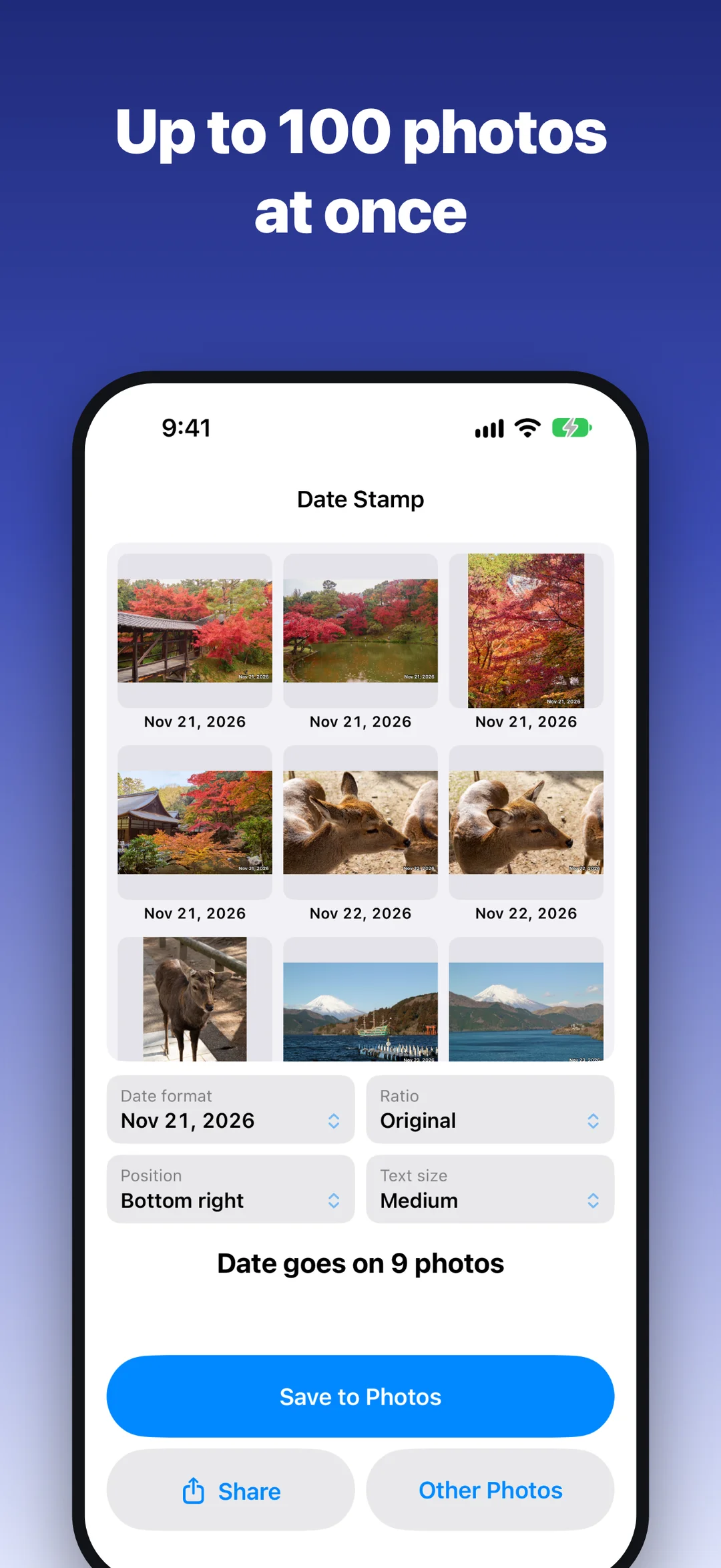
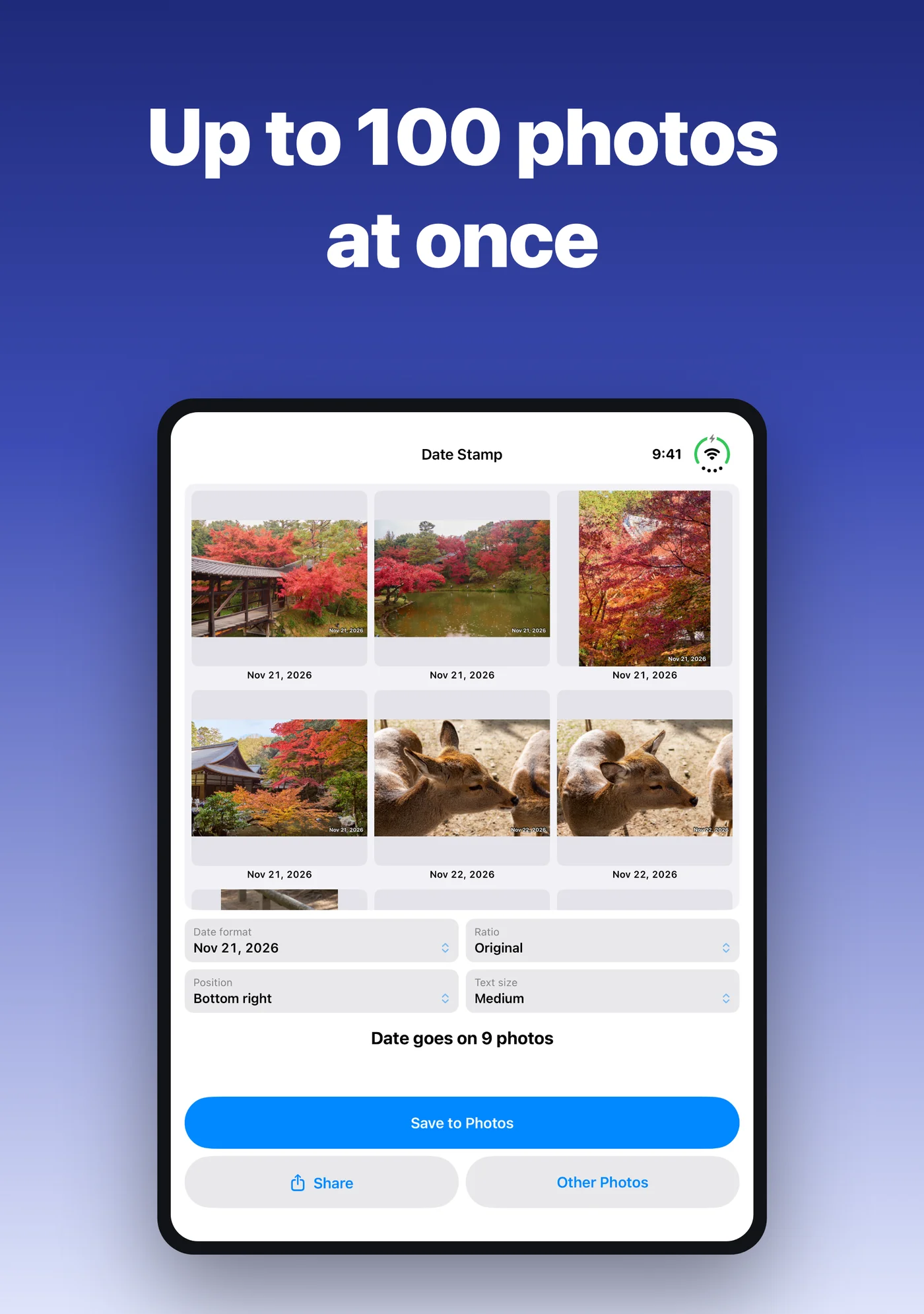
Up to 100 photos at once
Select them all, and every photo gets the date it was taken.
Position, text size and date format
Change “Position”, “Text size” or “Date format” once and it applies to all selected photos. Your settings are kept for next time.
Readable on any photo
Text color and outline adjust automatically to each photo, so the date stays readable on bright skies and dark backgrounds.
Ready for prints
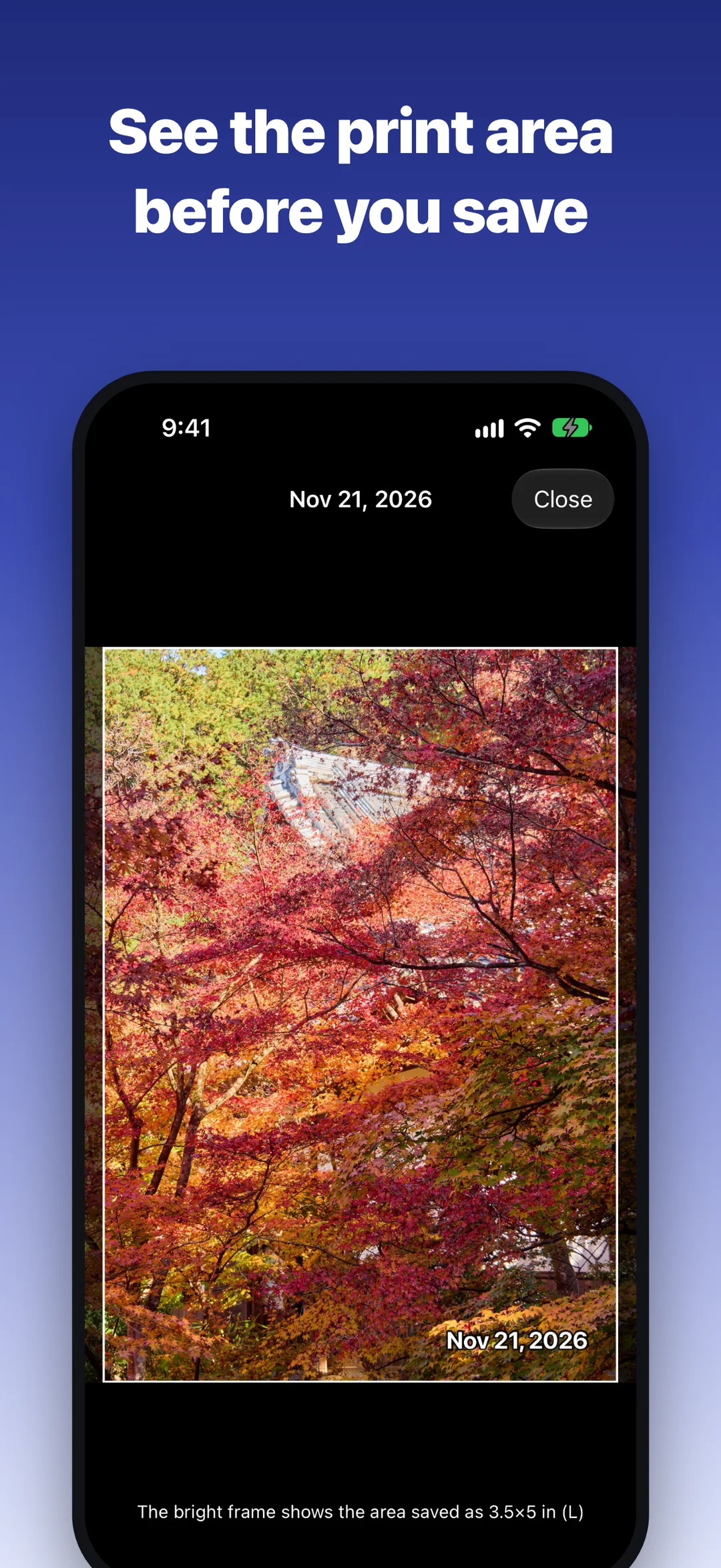
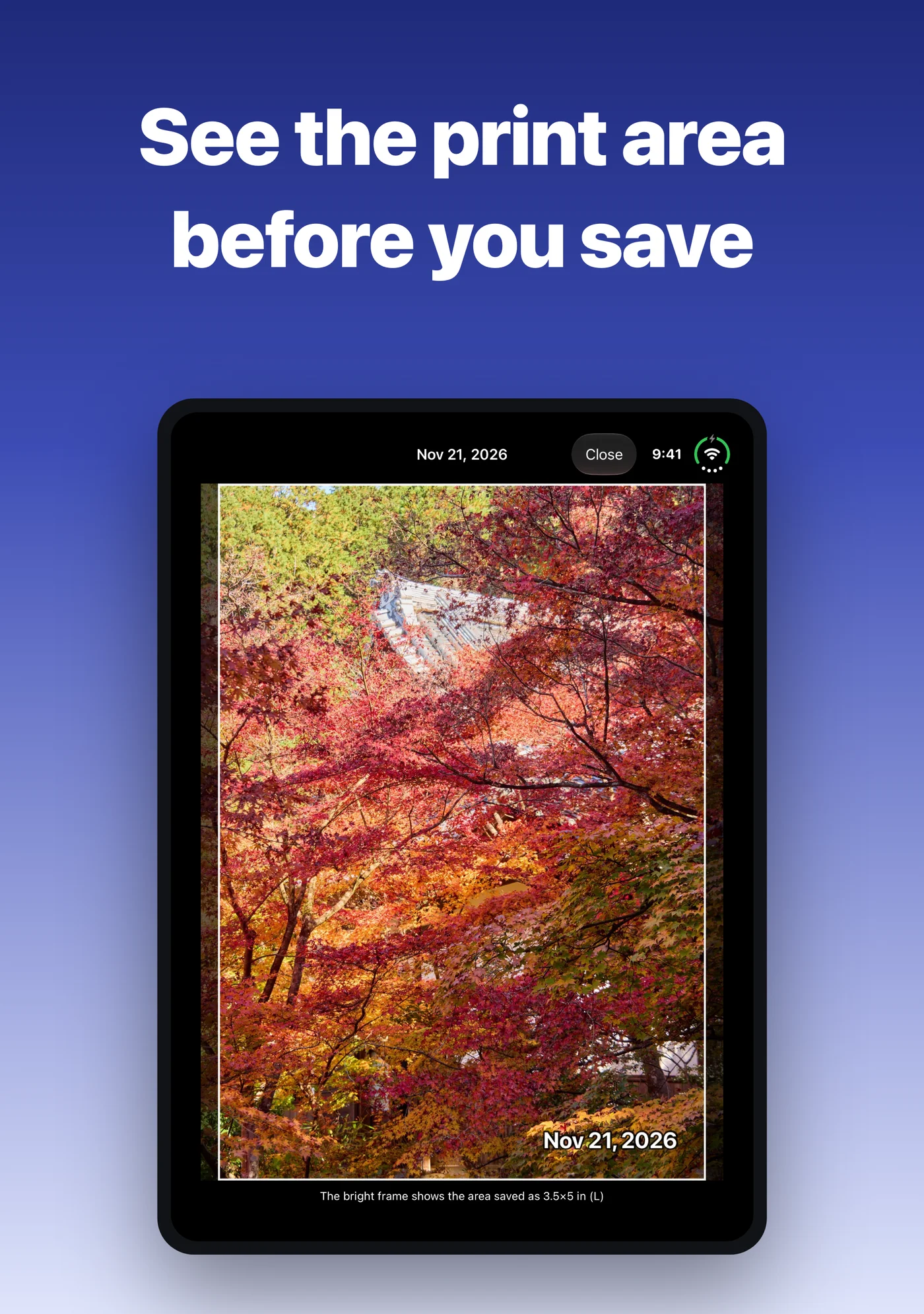
Under “Ratio”, choose “Original”, “3.5×5 in (L)” or “4×6 in”. With a print ratio, you can check the area that will be kept, and the date is placed slightly inside it.
No made-up dates
Images with no recorded date taken never get today’s date filled in. Use “Check date taken” to enter a date yourself or skip them.
Your originals stay untouched
Your original photos stay as they are. Shared photos don’t include location (GPS) data, and everything is processed on your device.
When to add dates to photos
- Printing photos from trips and events with the date on them
- Keeping the date on photos of your kids growing up
- Showing when a photo was taken before you send it to family or friends
- Adding a date stamp later to photos for albums and records
Questions
How many photos can I date at once?
Up to 100 at once. Every photo gets the date it was taken.
What if I corrected a date in the Photos app?
When you allow access to your photo library, the corrected date is used.
What about images with no date taken?
They never get today’s date filled in. Use “Check date taken” to enter a date yourself or skip them.
Does it overwrite my original photos?
No. Your originals stay as they are; new copies with the date are saved.
How much does it cost?
$1.99 as a one-time purchase. There are no ads, subscriptions, or in-app purchases.
Which devices are supported?
It works on iPhone, running iOS 17.6 or later.
Does it work on iPhone Duo, the foldable iPhone?
Yes. Date Stamp is an app optimized for iPhone Duo. It’s easy to use on the big inner screen or the outer screen, in portrait or landscape.
How to add the date taken to photos
Click or tap to enlarge
- Tap “Select Photos” and choose your photos (up to 100 at once).
- You'll see every photo with its date taken already on it. Tap a photo to zoom in and check the text and position.
- Tap “Save to Photos” to save new copies with the date. You can also send them right away with “Share”.
Optimized for iPhone Duo
The layout is optimized for the large inner screen of an open iPhone Duo.
SQUARE PICK
Square tries Date Stamp
I use this one!


Date Stamp: Batch Photo Dates
Just select them all. Each gets the date it was taken.
View on the App Store(external site)Prices shown are from the US App Store and may vary by country.


